Floating Origin
Overview
The Floating Origin system is designed to bypass the floating-point precision limitations inherent in modern game engines like Unity. When a player moves far away from the world center (0,0,0)—typically beyond 3–5 kilometers—the precision of standard float coordinates begins to degrade significantly. This results in noticeable visual artifacts, including vertex skinning jitter on animated meshes, rendering stutter, and physical instability/collision failures within physics engines.
This system resolves these issues by dynamically shifting the entire world back toward the origin whenever the player exceeds a specific threshold distance. The coordinate translation happens seamlessly within a single frame, combining high-performance ECS processing with hybrid MonoBehaviour synchronization to ensure jitter-free rendering and physics stability on massive scale maps.
How To Use
Import the Floating Origin sample via the Package Initialization window before proceeding.
This instruction is for the demo scene and for demonstrating purposes only. You can use it with your own character and camera by replacing the
SampleFloatingPlayerServiceandSampleCameraHandlerServicescripts according to your character and camera setup.Open the Demo mono scene.
Disable road streaming in the Road Streaming Config.
Disable Traffic Public Support in the General Settings.
Configure the Cinemachine camera according to the settings shown in the image below (set Rotation Control to Hard Look At and in the Cinemachine Follow component, set Binding Mode to World Space).
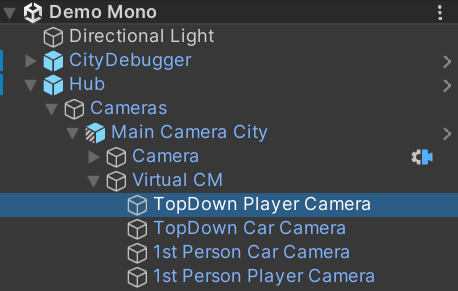
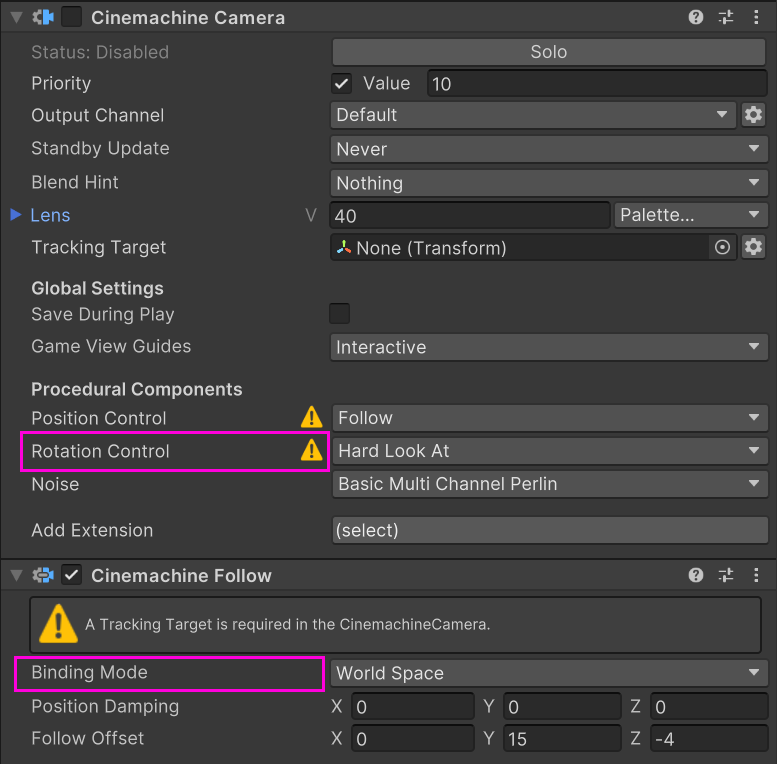
Drag and drop the
FloatingOriginManagersample prefab into the scene.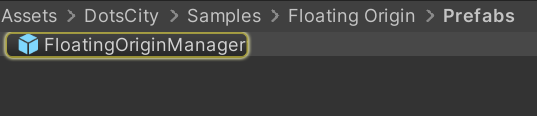
Set the threshold to 10 for testing purposes (in real-world scenarios, this value should be set between 200 and 1000).
In the Inspector, press the Reset button.
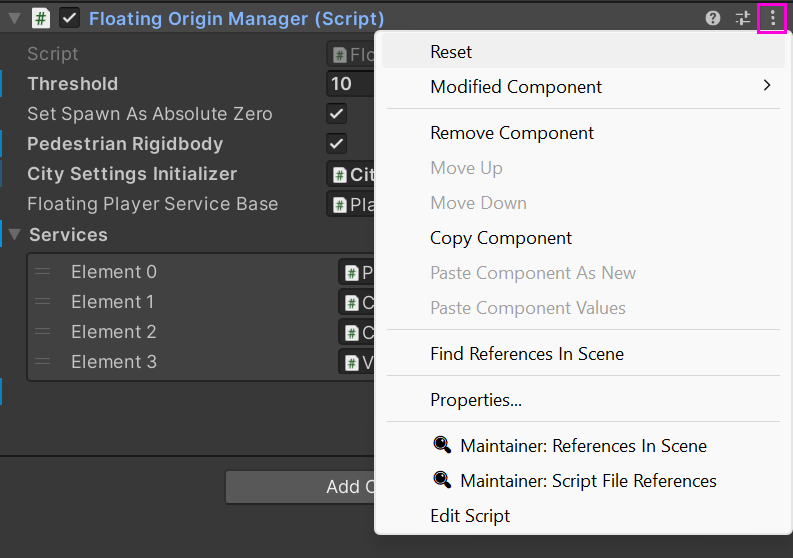
Open the child object named
Chunk, which contains theFloatingOriginChunkServicescript, and assign the parent objects in the scene that need to be moved.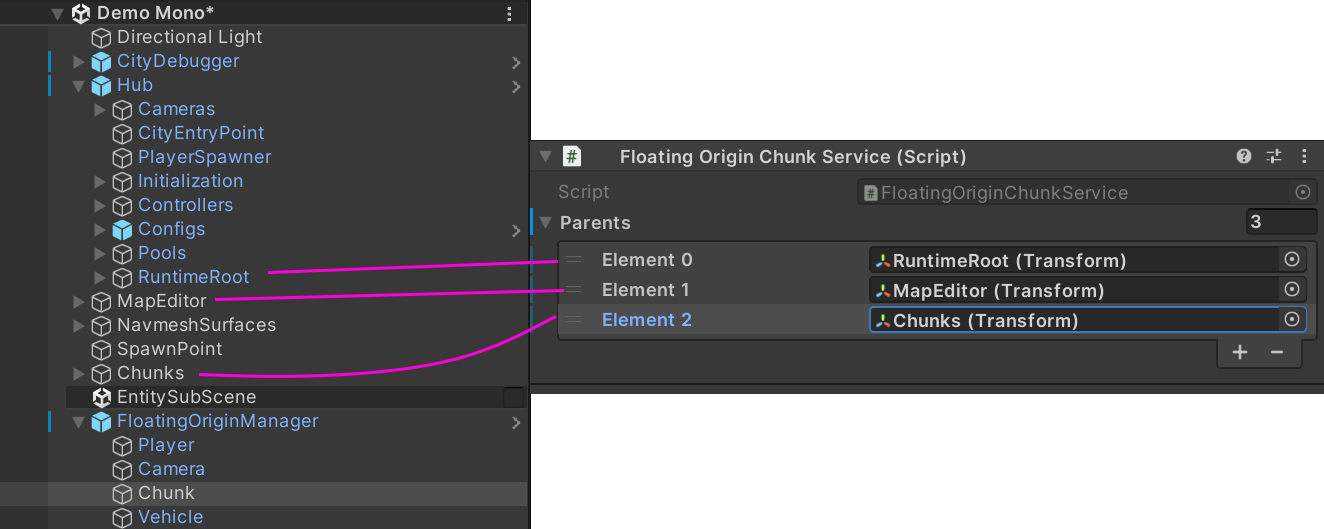
Launch the scene.
Known Issues
Pedestrian Ragdoll Shifting: Active pedestrian ragdolls don’t transition properly during coordinate shifts. This issue will be addressed in future updates.