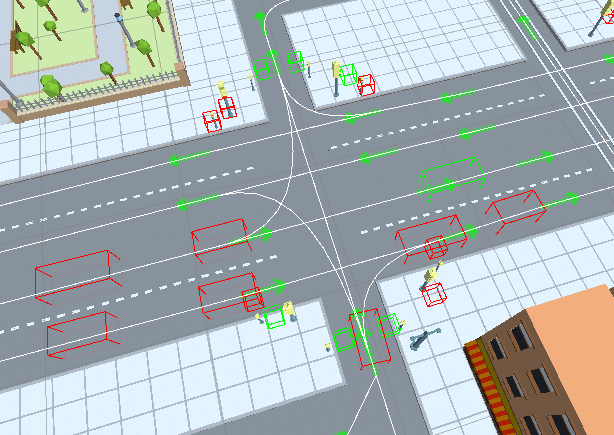
Traffic Debug
How To Open
In the scene, select:
CityDebugger/TrafficDebugger/
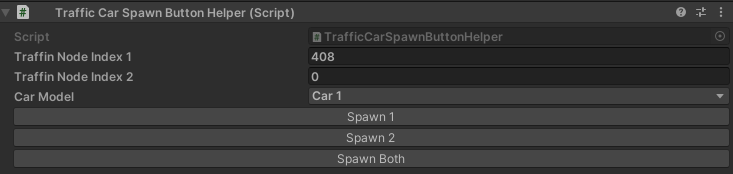
Traffic Spawn Button Helper
Manually spawns a vehicle at the selected index.
Traffic Debugger

Debugger Type
Default

Target
Shows the current target position of the vehicle.
Approach speed
Shows the vehicle’s calculated approach speed.
State
Shows the current internal state of the vehicle.
Idle State
Shows the root cause of the vehicle’s idle state.
Target index
Shows the active target node index of the vehicle.
Path index
Shows the global path index of the vehicle.
Speed limit
Shows the current speed and speed limit of the vehicle.

Change lane
Visualizes the target lane change point along the lane.
Collision
Shows the detected collision contact normal and direction.
Obstacle
Shows the detected obstacle entity and reason type.
- Obstacle reason types:
Undefined
DefaultPath : obstacle present along the current or next connected path.
NeighborPath : obstacle detected on a neighboring path originating from the same node.
JamCase_1 : car stops before entering an intersection to avoid gridlock.
FewChangeLaneCars : conflict caused by multiple cars changing lanes simultaneously.
ChangingLane : lead vehicle is actively changing into the current lane.
Intersect_1_TargetCarCloseToIntersectPoint : conflicting car is closer to the intersection crossing point.
Intersect_2_TargetCarCloseToIntersectPoint : conflicting car is already at the intersection point.
Intersect_3_OtherHasPriority : yielding to another vehicle with higher road priority.
Intersect_4_SamePriority : vehicles have equal priority; the car closer to the intersection proceeds first.
No target
Lists vehicles currently without an assigned destination node.
Settings
Traffic Raycast Debugger
Visualizes the detection box volume of vehicles (Config).

Example

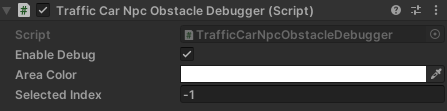
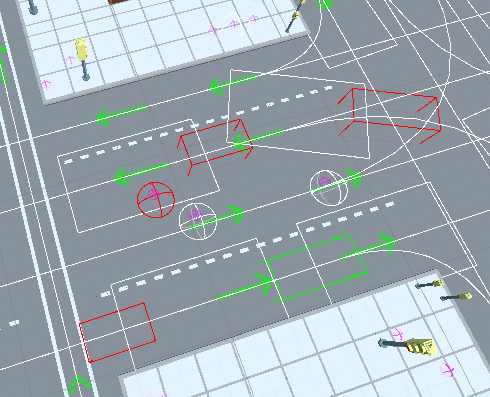
Traffic NpcObstacle Debugger
Visualizes the NPC calculation area and detected pedestrian obstacles.
Example
Traffic Public Debugger
Visualizes public transport route and schedule data.

Example

Traffic Light Debugger
Visualizes the active state of scene traffic light objects.