Road Constructor
Where To Find
Buy & download, import the following asset plugin:
Getting Started
Add the ROAD_CONSTRUCTOR scripting define to the Player Settings of the project.
Open demo scene.
Create City base, in the Unity toolbar open:
Spirit604/CityEditor/Create/City Base
Open each prefab in the prefab stage.

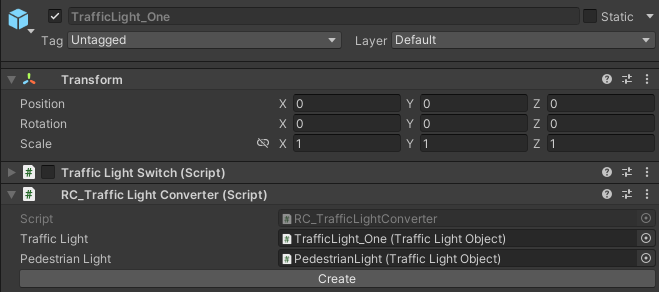
Then, add the RC_TrafficLightConverter component & press the Create button.
Activate TrafficLightHybridService.
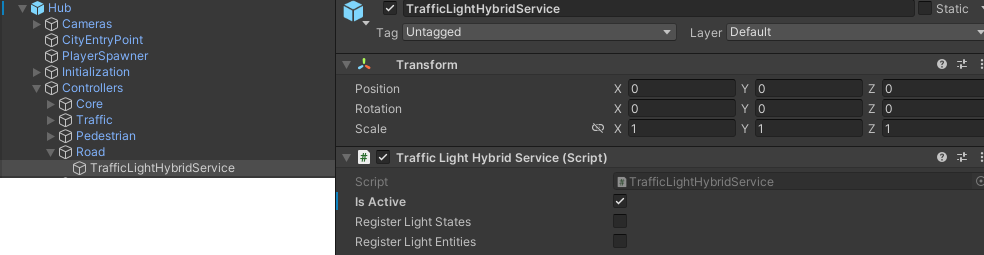
Hub/Controllers/Road/TrafficLightHybridService
Select scene type depending on your needs.
Editor Scene
Open RoadConstructorDemoEditor scene.
Select Road Constructor on the scene.
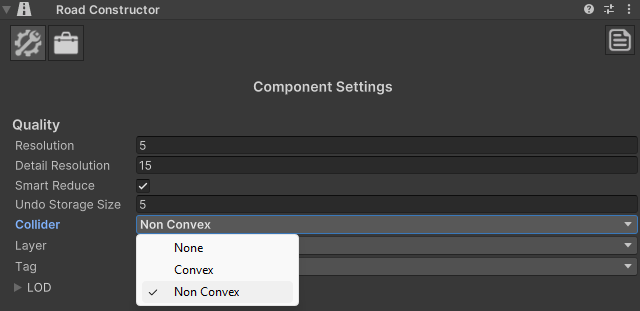
Set collider type to Non Convex if you plan to use vehicles with physics [optional step]
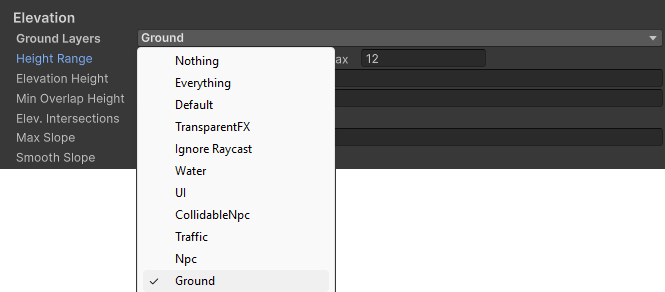
Select the layer of the ground collider according to your vehicle’s ground raycasting. [optional step]
Tick on Add Traffic comp.

Select Road Builder Editor on the scene
Press Initialize button.
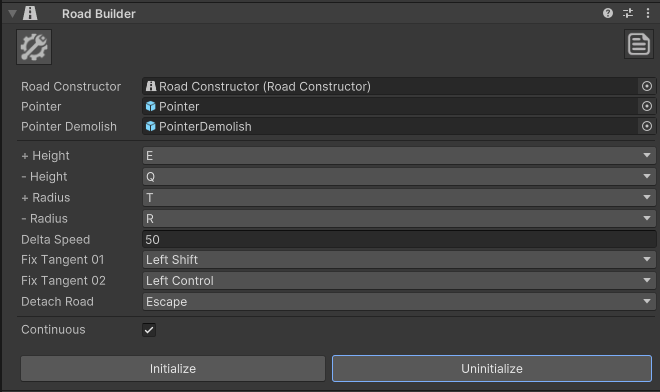
Place your roads according to your needs.
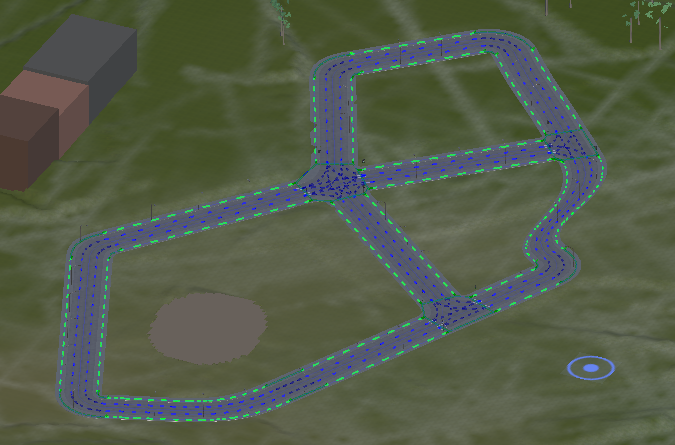
Example.
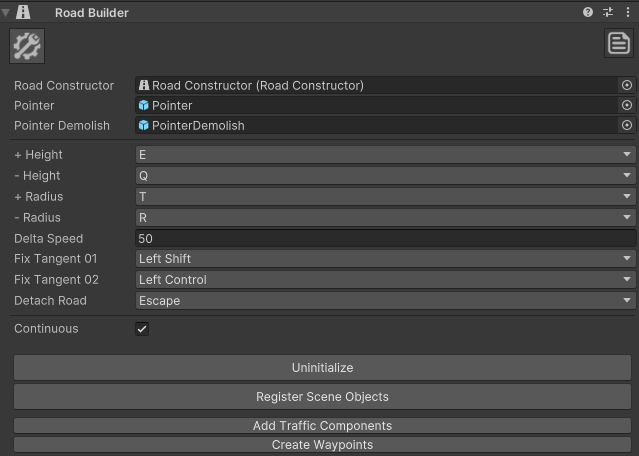
Then, press Register scene objects, Add Traffic Components, Create Waypoints buttons.
Create a new gameobject & add RC_EditorSceneGenerator component.
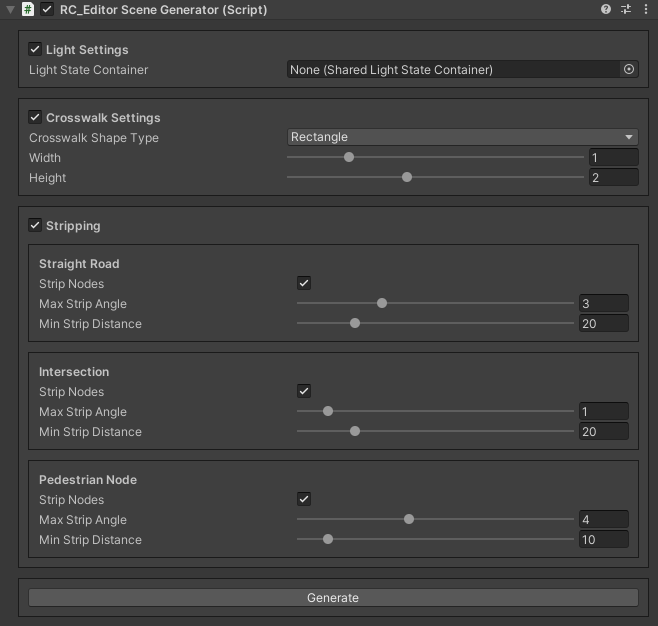
Adjust any necessary settings in the Inspector.
Press Generate button.
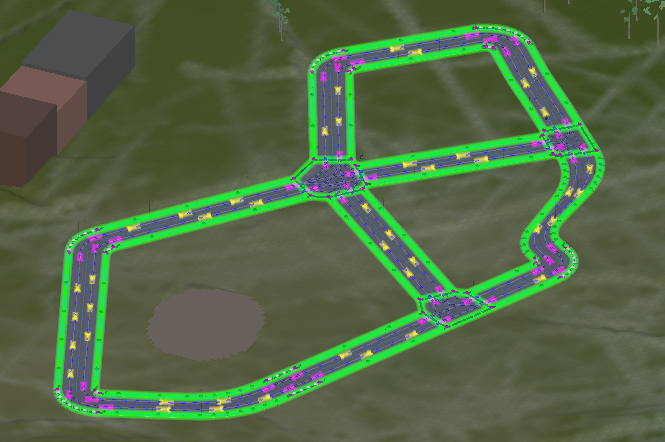
Result example.
Select Hub object in the scene
Untick Move lights option.

In the Hub, generate the subscene.
If you need to regenerate roads, select Hub, press Move back button, then regenerate roads in RC_EditorSceneGenerator & press Generate again in the Hub.
The next step is to set up Vehicles
Vehicles
Hybrid Mono
Physics simulation vehicles run on standart Monobehaviour scripts.
Set the World simulation type to Hybrid mono in the General settings config.
Find the HybridTrafficCarMonoSkinBase Arcade prefab & set the ground layer to match the ground collider layer in the Road Constructor.
Create Hybrid Mono vehicles.
No Physics
Vehicles without physics.
Set the World simulation type to DOTS in the General settings config.
Set the Physics simulation type to No physics in the General settings config.
Set Entity type to Pure entity no physics in the Traffic Settings
Create No physics vehicles.
Custom Physics
Vehicles with DOTS physics (works only in the Editor scene).
Set the World simulation type to DOTS in the General settings config.
Set the Physics simulation type to Unity physics in the General settings config.
Set Entity type to Pure custom physics in the Traffic Settings
Select Hub object in the scene
Enable the Copy Physics Shapes option to clone surfaces from the main scene to the sub-scene after each sub-scene regeneration.
Add layer according to your ground layer in the Road Constructor (read more about physics shape transferring)
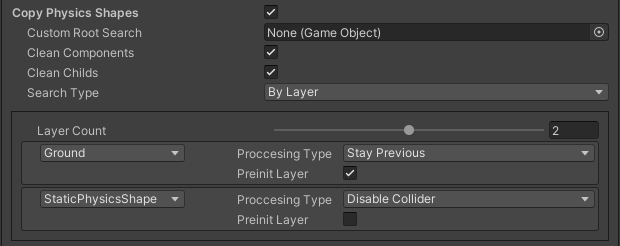
Create Custom physics vehicles.