Path Creator
Path Creator is a tool for quickly creating paths between traffic nodes.
How To Use
Open the tool from the Unity toolbar:
Spirit604/CityEditor/Window/Path Creator
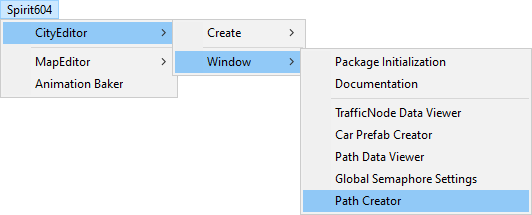
Select the source traffic node and target traffic node in the scene (example).
Customize new path settings.
Select the desired Connection Type (connection settings).
Customize Source & Target connection side, so that the path is positioned correctly (example) (connection settings).
Click the Create button.
Settings
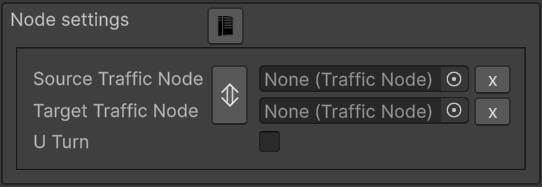
Node Settings
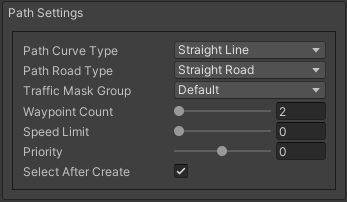
Path Settings
Visual Settings
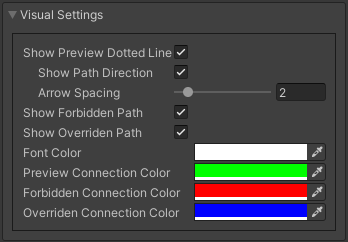
- Show preview dotted line: on/off connection line in the scene.
Show path direction : on/off arrows of the connection line.
Arrow spacing : arrow spacing.
Connection Settings
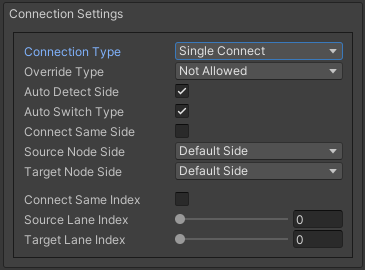
- Connection type:
- Override type:
- Source node side :
Default side : selected right side point in the source traffic node.
External side : selected left side point in the source traffic node.
- Target node side :
Default side : selected right side point in the target traffic node.
External side : selected left side point in the target traffic node.
- Single connect setting :
Connect same index : target index will be the same as source index.
Source lane index : source lane index.
Target lane index : connected lane index.
Buttons

Examples
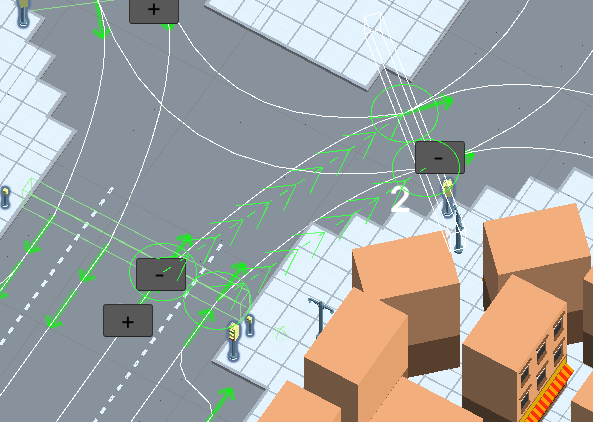
Connection available example (allow override path enabled, show overriden path disabled).
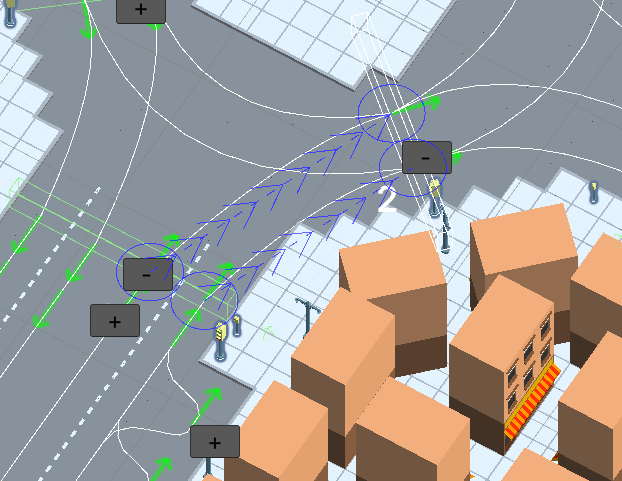
Connection available example (allow override path enabled, show overriden path enabled, paths already created for these nodes & overwritable).
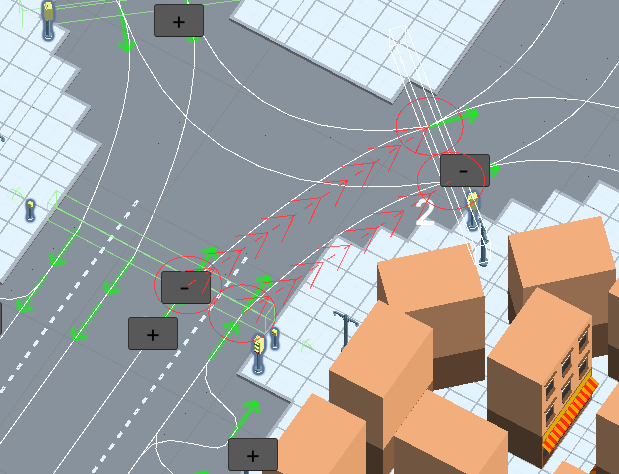
Connection forbidden example (path already created for these nodes & can’t be overwritten).