Baking Info
Baking data is required to store calculated data to avoid heavy calculations each time. This should be done after each road change and before the launch of the scene.
To validate that all traffic objects are properly configured (use the TrafficObjectFinder tool to find the traffic objects with the errors by InstanceID shown in the console).
- Baked data:
How To Bake
Open RoadParent.
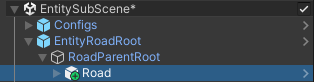
Subscene example.
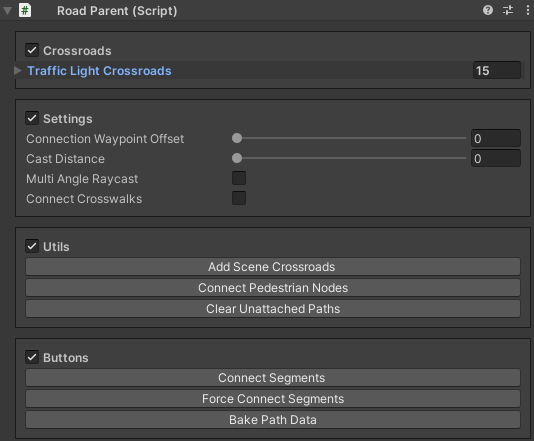
Press the Force connect Segments button to connect segments (if you are using auto-connection, make sure all segments are on one line). [optional]
Press the Bake Path Data button.