Road Segment
Road Segment is the main component of the road that contains traffic nodes, paths.
How To Create
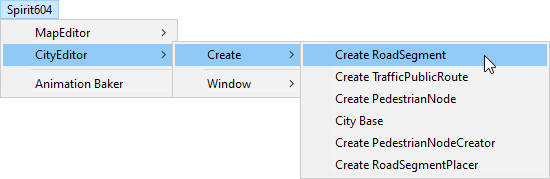
Select from the Unity toolbar:
How To Customize
By default, RoadSegment contains RoadSegmentCreator component that can be used to customize a segment.
Main Components
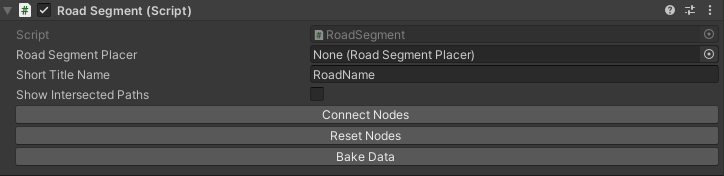
Road Segment
Component for connection to other road segments.
Variables
TrafficLightCrossroad
Component for handling traffic lights at crossroad. For a quick look at timelines of city crossroads and traffic light connections, see here.
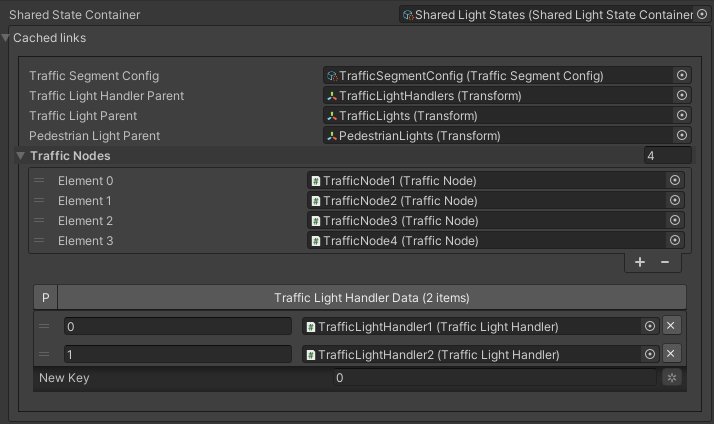
Cached
Timeline common
Timeline common uses the timeline from the Shared state container.

Note
You can easily replace the shared state container for all crossroads using the Global Light Settings tool.
Timeline custom
Custom timeline is designed for custom timings of the traffic light segment
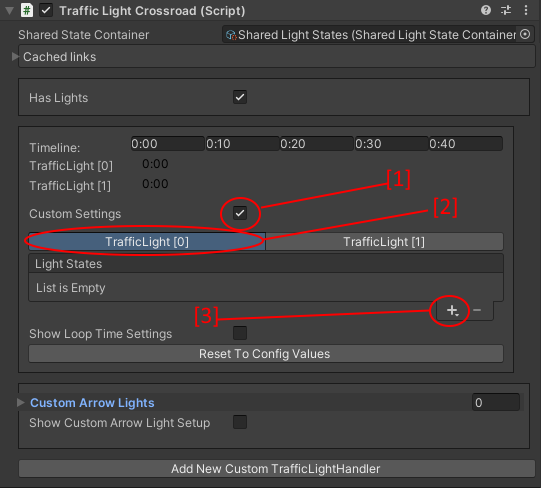
- How to add states:
Enable custom settings.
Select the desired TrafficLightHandler.
Press the + button.
Add desired states.
Enter the duration of the state.
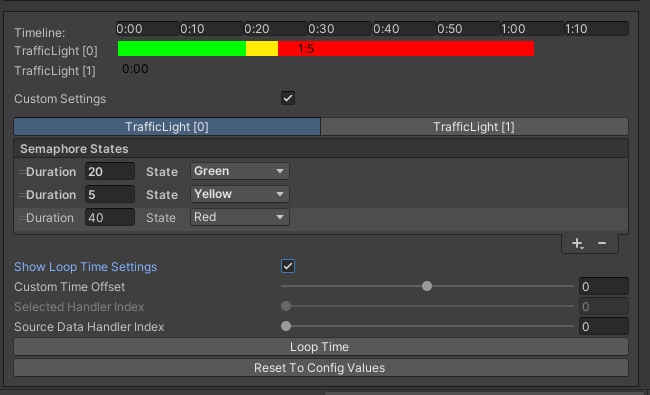
Once you have set up 1 TrafficLightHandler, you can loop to the 2nd TrafficLightHandler.
- How to loop timeline:
Select the TrafficLightHandler to be looped.
Enter the Source Data Handler Index parameter based on which to loop.
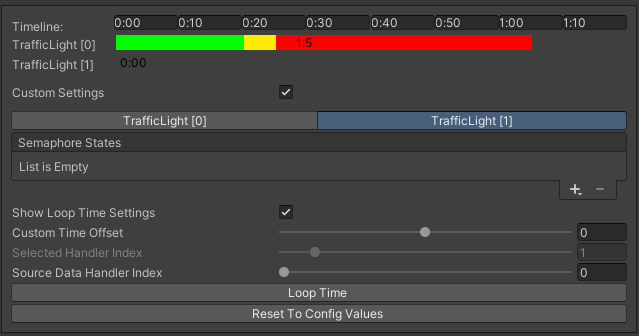
Settings example.
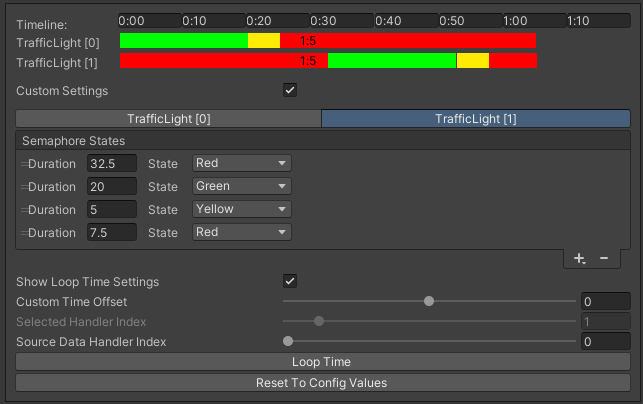
Click the Loop Time button.
Loop result:
Custom arrow lights
Arrows are used for the custom traffic light for the selected path.
- How to create arrows:
Click Show Custom Arrow Light Setup.
Select Custom Related Light Index.
Select related TrafficNode from the toolbar.
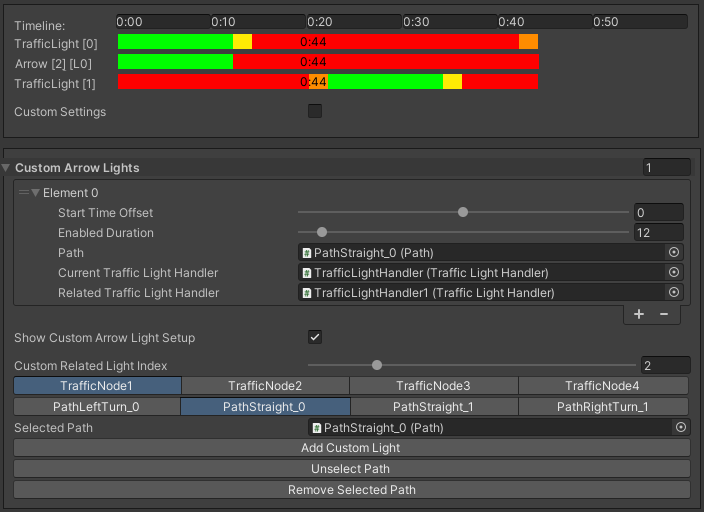
Select related path from the toolbar.
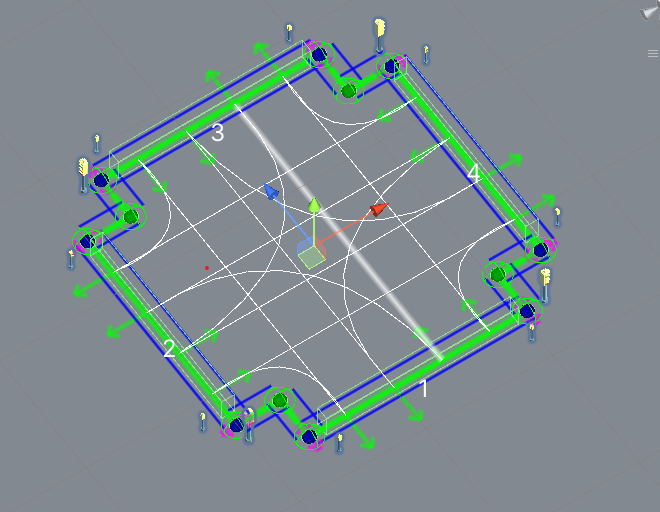
Selected path example.
Click the Add Custom Light button.
Note
To remove the light arrow, select the appropriate TrafficNode and Path and press the Remove Selected Path button.
Baking info
The intersection of paths is only baked in those paths that are in the segment. How to bake.
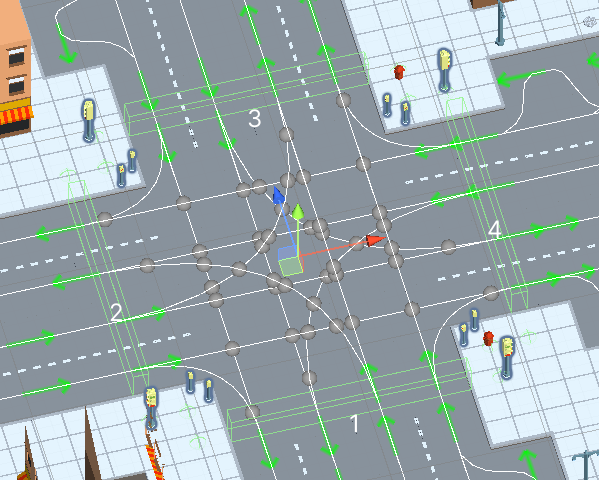
Intersection points example.